How to uplaod Picture to our profile?

1.1K Views
0 Replies
1 min read
Senior members can you please tell me how to add a picture toour profile.
I did not find any option where to add Picture .

2 Replies
Hai Soubhagya,

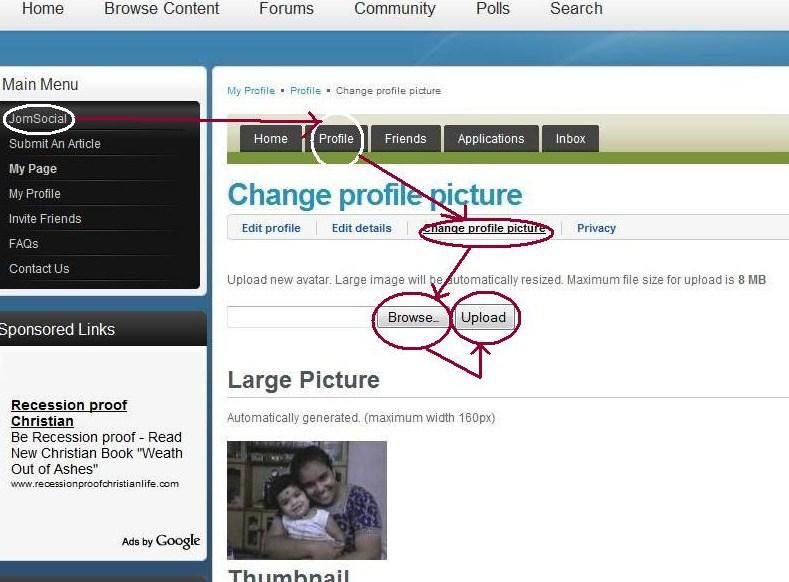
Go to "JomSocial"--->click on "Profile" besides "Home"---->click on "change profile picture"---->"browse"---->"upload"

Your picture will appear on "thumbnail" click on the image for a better loook
Go to JOM SOCIAL then click on PROFILE then EDIT PROFILE then CHANGE PROFILE PICTURE then select picture from your folder click on UPLOAD. Thats all.

Topic Author

Topic Stats

Created Tuesday, 18 August 2009 22:46
Last Updated Tuesday, 30 November -0001 00:00
Replies 0
Views 1.1K
Likes 0

Share This Topic